_edited.png)
Adding Services and Products to Your Google Business Profile

Updated: Jul 2

Most local customers decide what to do before they ever reach your website. If your listing doesn't show what you sell or what work you do, they have to guess, and many potential customers simply will not bother. While many users still refer to the platform by its former name, Google My Business, it has evolved into a much more robust tool for local discovery.
Adding products and services to your Google Business Profile gives people a faster answer. It can improve clicks, calls, and trust, but only when the details are accurate and match the rest of your business information online. Because your business listing is often the first touchpoint for a customer, you should ensure that you use the correct fields for your offerings. Google treats products and services differently, so choosing the right category matters from the start.
Key Takeaways
Distinguish between products and services: Use the Products section for physical goods and menu items, while reserving the Services section for labor-based offerings, such as repairs, consultations, or specialized tasks.
Prioritize clarity and accuracy: Ensure your descriptions, prices, and photos are honest and match your website content to build trust with customers and avoid penalties from Google.
Optimize for mobile users: Since most local discovery happens on mobile devices, keep names short, use clear images, and provide direct links to the specific pages on your website that relate to the offer.
Maintain consistency as a ranking factor: Regularly update your listings to reflect current pricing and availability, as accurate information across your profile and website reinforces your business authority in local search results.
What Google Business Profile products and services actually do
GBP Products and GBP Services function like a short, interactive catalog accessible directly through Google Search and Maps. These features allow potential customers to scan your offers, compare various options, and decide whether to call, book, or visit your location without needing to leave the platform.
This capability is essential because local shoppers crave quick answers. During a typical Mobile Search, users are often looking for a one-tap path to a specific item, a service appointment, a phone call, or directions. At the same time, maintaining these sections provides Google with more context about your business relevance, which helps your profile perform better in Local Search results.
A simple comparison makes the distinction clearer:
Feature | GBP Products | GBP Services |
Best for | Physical items, menu items, retail bundles | Work you perform for a customer |
Common examples | Shoes, pastries, bouquets, cleaning kits | AC repair, dental exam, carpet cleaning |
Main details shown | Name, photo, description, price, link | Service name, description, price or range |
Typical goal | Drive purchases or item interest | Drive calls, bookings, or quote requests |
In short, GBP Products showcase what people can buy, while GBP Services explain the labor and expertise you provide.
When to use products instead of services
Use the products section when the offer is a tangible item or a menu-style listing. That includes retail goods, baked items, floral arrangements, gift boxes, restaurant dishes, drinks, and branded merchandise. If you already maintain an inventory database, remember that physical retail items can also be synced automatically from Google Merchant Center.
A product card works best when you have a strong photo, a simple name, and a price people can understand quickly. Google guidance still points businesses toward product images around 1200 by 900 pixels, so sharp, well-cropped photos help your conversion rate.
Not every category gets the same product features, and using products for labor-based offers can create confusion. A plumber should not list drain cleaning as a product unless there is a physical item attached to the sale. If the business sells labor rather than an object, the services section is the better home.
When services are the better fit
GBP Services are designed for the work your team performs. That includes repairs, consultations, inspections, cleanings, treatments, installations, and home visits. These are a natural fit for service-based businesses and appointment-based businesses that operate within a specific service area.
Google may suggest predefined services based on your primary category. For example, a carpet cleaner may see automated service choices related to upholstery or stain removal. If the suggestion list does not cover your specific offerings, many categories let you add custom services to ensure your profile is accurate.
Keep your service list practical. Group related offers under sensible headings, use familiar customer language, and avoid creating dozens of thin variations that say the same thing. The goal is clarity, not volume.
How to add products and services to Google Business Profile the right way
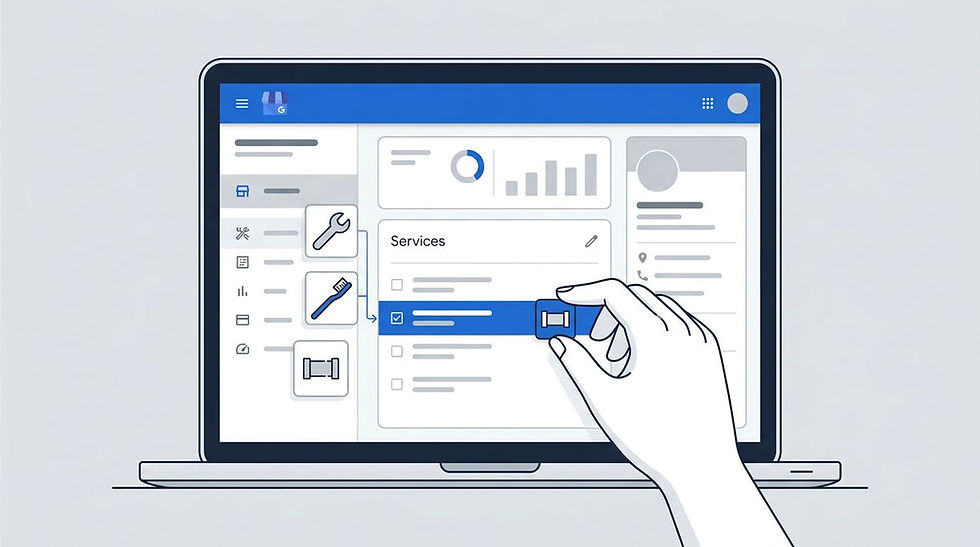
For accurate editing, use your main Business Profile Manager dashboard. Sign in, pick the correct location, then look for the Products or Services area under profile editing. Google shifts labels and menus from time to time, but the dedicated dashboard is still the safest place to do detailed work.
Some accounts can make lighter edits from Google Search and Maps. Still, using the built-in Product Editor within your dashboard is the easiest way to manage your catalog, especially if you handle multiple locations or need to verify links, photos, and pricing.
Add one offer at a time, save it, then review how it appears on mobile and desktop. Multi-location businesses should take extra care to avoid copying everything blindly, as hours, service availability, and prices often vary by location.
What to enter for each product or service listing
Fill in the fields that help a customer make a decision fast. That usually means the name, category, product description, photo, price or price range, and a link or call to action if Google shows that option for your profile.
Keep product names short. Current guidance caps them at 58 characters, so lead with the real item name first. Your product description can run longer, up to 1,000 characters, but shorter, punchy copy usually reads better.
Use real photos whenever possible. Stock images weaken trust because they rarely match what people get in person. For services, show the team, equipment, workspace, or finished result. For products, use clear item shots with good lighting and no heavy text overlays.
If you can add a link, send people to the exact page that matches the listing. A brake repair service should go to the brake repair page, not your homepage.
How to keep listings useful on mobile devices
Most people will see these details during a mobile search, so readability matters. Short names work better than long, stuffed labels. Clean images load faster and hold attention longer. Tight descriptions beat large blocks of text.
The first few words matter most because mobile users scan, they do not study. Put the plain-language offer first, then add one or two helpful details. Emergency water heater repair, same-day appointments available, works better than a padded sentence full of city names.
Also, check the actions around the listing. Your phone number should be clickable, your hours should be current, and your website page should open well on a small screen. If you use messaging or quote requests, watch those channels closely. Fast replies keep interest from going cold.
What to write so your listings help sales without causing policy problems
Write these fields like you are talking to a real customer at the counter. Explain the offer clearly, keep claims honest, and skip anything that sounds stuffed or exaggerated. Google can reject, suppress, or review content that looks spammy or does not match the business identity.
This level of quality matters more than many owners expect. Beyond building trust, high-quality content serves as a Ranking Factor for Local Search visibility. Google checks your profile details against your website, business documents, and other mentions across the web. If your listings say one thing and your signage or service pages say another, your rankings can suffer.
How to write product and service descriptions people will trust
A great Product Description answers three points quickly: what the item is, who it is for, and what the customer gets. This clarity is essential, as Google uses these details to generate Justifications, which are the snippets of text that appear in search results to confirm your business offers exactly what a user is looking for.
For a product, mention the item type, key features, and why someone buys it. For a service, explain the scope of work, common use cases, and what is included. Saying "Deep carpet cleaning for pet stains and high traffic rooms" says more to a potential client than "best carpet service near me."
Be careful with price language. If the amount changes by job size, use "starting at" or "free estimate" instead of posting a number that rarely applies. Also, do not promise 24/7 service or same day work unless you can stand behind it every time.
Simple ways to avoid Google Business Profile mistakes
The most common problem is stuffing extra search terms into names. A listing called "AC Tune-Up Dallas Best Cheap Fast" looks untrustworthy to both customers and search engines. Use the real offer name and move on.
Another mistake is copying the same description for every item. Repetition makes a Google Business Profile look thin, and it does not help shoppers compare choices. Fake photos, old prices, and offers that do not match the business category cause trouble as well.
Keep everything aligned with your website, directory listings, and real world business details. When your service pages, profile fields, phone number, and business name all match, Google gets one clear picture of the company. If category conflicts or messy profile details keep getting in the way, a Google Business Profile optimization service can help clean up the setup.
How products and services fit into a stronger local SEO strategy
These sections do not work in isolation. They perform better when the rest of your Google Business Profile is accurate and active, including categories, hours, photos, review responses, and your name, address, and phone number. By filling out these sections, your offerings become visible within the Knowledge Panel on desktop searches and the Local Finder on mobile devices, putting your best assets front and center for local customers.

That consistency helps two groups at once. Customers get a cleaner path to action, and Google gets stronger confirmation that your business is relevant for the search. Reviews also add context. If people frequently mention a service you have listed, that support reinforces the authority of your GBP Services.
This is also where measurement matters. Your profile's performance data can show views, website clicks, calls, and direction requests. Then, once someone leaves Google and lands on your site, analytics can show what they did next.
Use website pages, photos, and tracking to support each listing
Each product or service should connect to the most relevant page on your website. That is better for users and better for data. When someone clicks a listing for teeth whitening, they should land on the specific whitening page rather than a generic homepage.
Use UTM Tagging on those links so you can track visits from your profile in GA4. That closes a common reporting gap between profile activity and on-site conversions. In the same way, matching website copy, GBP Products, and local business schema gives Google a cleaner entity match.
Photos matter here too. If your service page shows one offer name and your profile shows another, people hesitate. Keep the wording close, keep the imagery current, and keep the promise the same across both places to maximize the value of your Google Business Profile.
Refresh your listings as your business changes
Profiles age faster than most owners think. Prices change, menu items rotate, service areas expand, and seasonal offers come and go. If the listing stays frozen, it starts to feel neglected.
Current details build trust because they show the business is active. They also reduce the chance of bad user edits or confusion around what you still offer. Review your product and service sections on a schedule, even if it is only once a month.
If those updates keep slipping behind reviews, photos, and everyday operations, ongoing GMB profile management can keep your presence current without turning it into another heavy task on your desk.
Frequently Asked Questions
What is the difference between a product and a service on Google Business Profile?
Products are best for tangible items like retail goods, gift cards, or food menu items that a customer can buy. Services represent the labor, professional expertise, or work you perform for a client, such as plumbing, landscaping, or medical exams.
How often should I update my products and services?
You should review and update your listings whenever your prices, availability, or offerings change. Keeping this information current demonstrates to both customers and Google that your business is active and reliable, which helps maintain your search visibility.
Can I use stock photos for my product listings?
It is highly recommended to use original, high-quality photos rather than stock imagery. Real photos of your actual work, staff, or inventory build significantly more trust with potential customers and prevent your listing from appearing generic or deceptive.
Should I include keywords in my product and service names?
Avoid stuffing your listing names with extra search terms or promotional phrases. Focus on using clear, professional, and descriptive names that accurately represent the item or service, as keyword stuffing can make your business appear untrustworthy to users and search engines.
Final thoughts
Adding products and services to your Google Business Profile is about helping people understand your business faster. Clear offers, honest copy, and mobile-friendly details make it easier for someone to choose you without extra digging.
The strongest profiles stay accurate over time. When your information matches your website and your real-world business, you build more trust, earn better engagement, and give Google better information to work with. By keeping your business listing updated, you provide customers with the clarity they need to convert. Whether you have managed your account since the days of Google My Business or are just getting started, optimizing these sections is a simple way to increase your visibility and improve the overall impact of your Google Business Profile.


Comments