_edited.png)
Google Maps Zero Click Blueprint to Attract More Customers

Updated: Jul 16
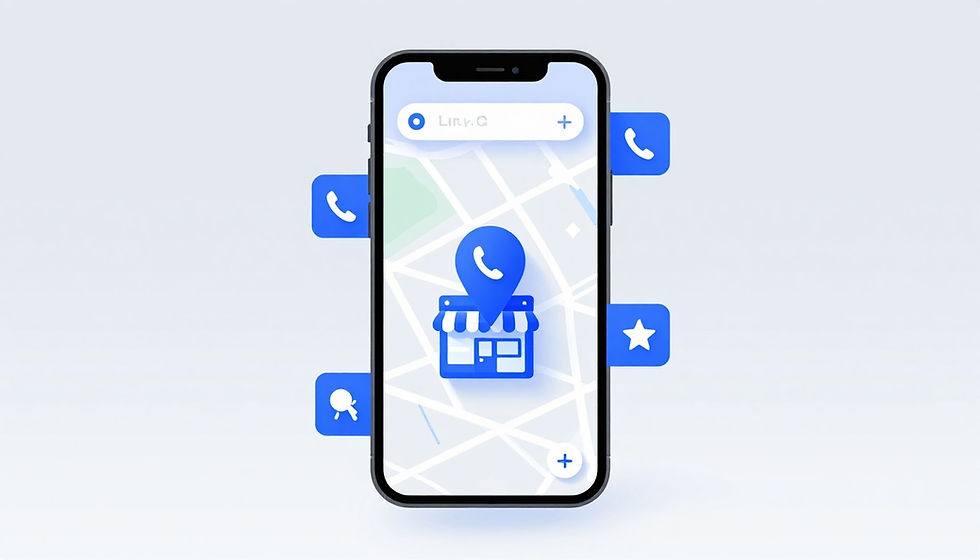
Local customers no longer need to visit your website before choosing your business. Because of the rise of zero-click search, Google Maps provides immediate access to your hours, ratings, services, photos, phone number, directions, and booking options in just a few seconds.
That shifts how we define success. A drop in website clicks is not a problem when your calls, booked appointments, direction requests, and qualified inquiries are rising. The primary goal of a zero-click blueprint is to turn your Google Business Profile into a destination where people can make a confident decision without leaving Google.
By prioritizing this strategy, you maximize your SERP visibility and ensure that your business remains the top choice for local customers searching in your area.
Key Takeaways
Treat your Google Business Profile as a conversion page rather than just a signpost to your website.
Track calls, bookings, direction requests, and leads alongside website visits to measure true performance.
Fill Products, Services, Q&A, photos, and profile details with decision-ready information that anticipates user needs.
Use timely offers and recent reviews to give customers a compelling reason to act now.
Maintain every profile regularly so inaccurate data, spam edits, and unanswered reviews do not cost your local business leads to your competitors.
For 90% of local service businesses, like emergency plumbers, towing companies, and locksmiths, a massive, multi-page website is increasingly a waste of marketing budget.
When a basement is flooding or a driver is stranded on the highway, no one is reading a 1,200-word "About Us" page. They want three things: a 5-star rating, proof of proximity, and a direct line to dial. In a zero-click world, your Google Maps profile is the actual transaction layer; your website is just a backup document.
What the Zero-Click Blueprint Means for Google Maps
A zero-click search occurs when a user finds exactly what they need without ever leaving the search engine results page. When someone searches for "emergency plumber near me" or "best dentist in downtown Phoenix," they frequently interact with the local map pack to call, request directions, or book a service directly without visiting a website.
The local map pack and your Google Business Profile aggregate the most essential buying details in one central location. Because modern local SEO strategies and the emergence of AI overviews prioritize immediate answers, having a fully optimized profile is more critical than ever.
Customers now review your business category, operating hours, address, rating, photos, and services through your knowledge panel before they even consider navigating to your site.
This shift means a complete, optimized profile can generate significant revenue even if your website traffic remains flat. While traditional marketers often fixate on organic CTR or overall click-through rate, these metrics only tell part of the story. A customer who taps the call button to book a high-value repair is infinitely more valuable to your bottom line than dozens of visitors who exit your website after a few seconds.
Inside GMB Daddy's Q1 Local Search Study
To see if the "zero-click" trend is actually driving business growth, we analyzed performance data across 150 local service business profiles over a 90-day period. After fully implementing our Zero-Click Blueprint, the results shattered traditional SEO expectations:
12% Drop in overall website click-through rates (CTR).
38% Increase in direct phone calls initiated from Google Maps.
45% Surge in map direction requests.
22% Growth in direct-booking actions.
This data proves that optimizing for on-SERP conversions works. Even though fewer people visited the actual websites, the overall volume of hot, ready-to-buy leads grew significantly.
Google requires precise data to match your business with local intent. Ensure your business name, address, phone number, primary category, service area, and hours are perfectly accurate. Select the most specific primary category for your core work, then add secondary categories only for established services.
Measure Calls, Directions, Messages, and Bookings Instead of Clicks Alone
Evaluate your Performance data in your Google Business Profile monthly. Track calls, website visits, direction requests, and the specific search terms driving visibility. To gain a complete picture, cross-reference this data with Google Search Console, your call logs, online bookings, and in-store sales.
Google retired Business Profile chat in 2024, so do not build your lead generation strategy around those old messaging features. Instead, ensure your phone, booking, and quote paths are optimized for mobile users. If your website includes a contact form, track those submissions separately to see how your profile acts as a primary knowledge panel for new inquiries.
Branded searches are also a key indicator of success. A high volume of searches for your business name suggests your local visibility and review strategy are building strong brand recognition. Use Google Analytics to monitor user behavior after a profile visit, but remember that the true value of your profile lies in direct conversions rather than just maximizing click volume.
A Google Maps profile earns its keep when it creates customer actions, not when it sends the most traffic elsewhere.
Build a Google Business Profile That Answers Questions Before Customers Ask
Your profile should answer the questions a ready-to-buy customer asks before making contact. Missing information creates doubt, and doubt sends people back to the map to compare competitors.
Check regular hours, holiday hours, phone numbers, website links, appointment rules, service areas, accessibility details, and payment options. A service-area business should hide its residential address and list the cities or areas it serves. A storefront should show the real, customer-facing location.
Maintain strong NAP consistency for your name, address, and phone number across your website, major directories, and local citations. By implementing structured data or schema markup on your website, you provide Google with the technical signals needed to verify this information, which increases trust and stabilizes your search visibility.
Use current photos of your exterior, team, work, products, and interior. Photos should help someone recognize the location or understand the service. Avoid promotional watermarks, excessive text overlays, and misleading edits that may trigger review problems.
Turn Products and Services Into Mini Landing Pages
A generic service list leaves customers with unanswered questions. Build each major service entry as a compact landing page that explains what the customer gets and how to take the next step. By providing these specific details, you directly satisfy the search intent of a user looking for a precise solution to their problem.
For example, an HVAC company should list "Same-Day Air Conditioner Repair" rather than only "HVAC services." The description can state common issues covered, the area served, an honest starting price or price range, and the fastest contact option. Add a clear photo that shows real work or equipment.
Use phrases customers naturally use, including the service and nearby area when it fits. A salon might list "Balayage Hair Color in South Austin." A contractor might list "Kitchen Cabinet Installation in Mesa." Don't repeat city names unnaturally or add services you don't actually offer.
Businesses that need help correcting categories, descriptions, service lists, and profile data can use a Google Business Profile optimization service to improve the profile without risky guesswork.
Use Q&A to Remove Friction From the Buying Decision
The Questions & Answers area can settle concerns before they become a reason to leave. Add accurate answers to the questions your front desk, sales team, or technicians hear most often. Addressing these informational queries within your profile builds trust, and you can further bolster your brand authority by integrating FAQ schema on your website to ensure these answers are recognized by Google across the entire web.
Useful topics include parking, payment methods, average wait times, wheelchair access, appointment requirements, cancellation policies, emergency availability, service boundaries, guarantees, and financing. A restaurant may explain patio seating and allergy accommodations. A repair shop may clarify whether it provides same-day diagnostics.
Keep answers direct and honest. Don't promise availability, pricing, or outcomes you can't deliver. Review the section regularly because public questions can appear without notice.
Capture the Lead Directly With Offers, Reviews, and Fast Contact Options
Visibility only matters if the next step is simple. A customer on a phone should be able to call, book, get directions, or request a quote without hunting for information.
Use a primary number that reaches someone who can schedule appointments or route urgent calls. Don't send customers to an unattended voicemail box during business hours. If your category supports online booking or reservations through an approved provider, connect a system your staff actively monitors.
Test every action path yourself. Call the number, tap the booking button, and follow the quote process on a phone. A broken booking link can waste a high-intent lead at the exact moment they are ready to act.
Make GBP Updates Work Like Offer Cards
Google Business Profile Updates work best when each one supports a clear action. By treating them as offer cards rather than casual social media posts, you effectively claim a position zero style of visibility that functions much like the featured snippets found in organic search results. This places your most important information at the top of the user experience.
Feature seasonal services, appointment openings, limited-time packages, local events, or a specific booking incentive. A landscaping company can promote spring cleanup appointments. A dental practice can post available consultation slots. A restaurant can highlight a holiday menu or reservation availability.
Use a useful image, a short description, a clear call to action, and an end date when the offer expires. Remove or replace outdated posts. The most current update should support the service you most want to sell now.
Build a Review Moat With Consistent, Helpful Replies
Reviews are the strongest form of social proof on Google Maps. People compare rating, review count, recency, and the tone of your responses before deciding who gets the call. Furthermore, a high volume of positive feedback strengthens your brand recognition, which encourages users to choose your business over others in the map list.
Ask customers for an honest review after a completed job, purchase, or appointment. Don't offer incentives, ask employees or relatives to post reviews, or screen customers for positive feedback first. Google prohibits review gating, and customers can spot forced praise.
Reply to every review within a consistent window, ideally 24 to 48 hours. Thank positive reviewers with a personal response. When it fits naturally, mention the service they received and the local area. Keep it conversational rather than repeating search phrases.
Respond calmly to negative reviews. Acknowledge the concern, invite an offline conversation, and never reveal private customer information. If a review breaks Google policies through harassment, profanity, impersonation, or a conflict of interest, report it through the official Google process.
Keep the Profile Accurate, Visible, and Ready to Convert
A strong profile needs routine attention. Check categories quarterly, update holiday hours before they arrive, add fresh photos, confirm services, and watch for unauthorized edits.
Google compares information across your profile, website, directories, and other data sources. By keeping every version aligned, you help Google's knowledge graph better understand your business, which is essential for remaining relevant in an era of generative search results. Monitor duplicate listings and competitor spam as well, since both can pull attention away from legitimate local businesses.
The Zero-Click Conversion Funnel vs. The Traditional Funnel
Traditional SEO assumes a long, leaky customer journey. The Zero-Click Blueprint compresses that journey into a single, high-intent loop:

By keeping the entire transaction inside Google's ecosystem, you eliminate the 40–60% drop-off rate that typically occurs when a mobile user waits for a slow, clunky website to load.
Create a Simple Monthly Zero-Click Audit
Set aside time each month to search your core service and neighborhood terms in Google Maps. Compare your listing with the top competitors to identify gaps that affect trust or conversion, with the ultimate goal of reaching position one for your target local terms.
Use this short routine:
Verify hours, phone numbers, addresses, service areas, and holiday schedules.
Test call, directions, quote, and booking actions on a mobile device.
Review new questions, posts, photos, reviews, and offer expiration dates.
Track calls, direction requests, bookings, and leads against the prior month.
Use geo-grid rank tracking tools such as Local Falcon or BrightLocal to check map visibility across your actual service area.
Google Analytics can connect wider website activity to profile traffic. However, geo-grid tracking shows something analytics cannot: how your Google Maps visibility changes block by block across a city.
Know When Professional Profile Management Makes Sense
One location requires discipline. Multiple locations require a process. Owners often struggle to keep every listing updated while also responding to reviews, monitoring edits, publishing offers, checking performance, and protecting locations from spam.
An ongoing Google Business Profile management service can handle that recurring work for businesses that need consistent local visibility without assigning it to already-busy staff.
Make Google Maps Your Conversion Point
The strongest Google Maps Zero Click Blueprint gives customers enough information to choose you immediately. Providing complete business details, useful service entries, direct answers, current offers, easy contact options, and recent reviews effectively reduces customer hesitation.
Prioritizing these direct actions within Google Maps is the essential key to local success in the current search landscape. By focusing your efforts here, you turn a standard listing into a high-performing engine for growth. Measure the actions that create revenue, especially calls, directions, booked appointments, and qualified leads.
Managing that standard across several profiles takes constant attention, which is why services like GMB Daddy exist to automate and optimize the work for local business owners looking to master the Google Maps Zero Click Blueprint.
Frequently Asked Questions
What is a zero-click search in the context of Google Maps?
A zero-click search happens when a user finds all the information they need to make a purchase or booking directly on the Google results page or map pack. Instead of clicking through to your website, the customer interacts with your profile to call, get directions, or book a service immediately.
Should I worry if my website traffic drops because of this strategy?
Not necessarily. A drop in website clicks is often a positive indicator that your Google Business Profile is successfully acting as a high-converting destination on its own. Focus on measuring total conversions like incoming calls, booked appointments, and direction requests rather than prioritizing vanity metrics like website traffic.
How can I make my business profile more effective for mobile users?
Ensure your contact, booking, and navigation links are functional and easy to tap on a smartphone. Regularly test these action paths yourself to confirm they lead directly to a working solution, ensuring customers do not encounter broken links or dead ends when they are ready to act.
Why should I use the Q&A section on my Google Business Profile?
The Q&A section allows you to proactively address common concerns and remove friction from the buying decision before a customer ever contacts you. Providing clear, honest answers to frequently asked questions builds trust and prevents potential clients from leaving your profile to search for answers on a competitor's site.


Comments